
Why You Need a Subscription Audit Right Now
The subscription economy is exploding—by 2025, experts estimate that the average person will have more than 15 active subscriptions. Everything from streaming services to software tools, meal kits to fitness apps, is now on auto-pay. This convenience comes at a cost: many of us are unknowingly hemorrhaging cash on subscriptions we rarely use—or never signed up for in the first place.
Common blind spots trip people up:
- Free trials that auto-renew without clear reminders
- Family plan duplicates where multiple members pay separately
- Annual renewals you forgot that sneak up and drain your account
On top of that, psychological traps keep you locked in. The sunk cost fallacy makes you hang on because you “already paid,” even if you no longer use the service. Plus, the fear of missing out (FOMO) keeps you hanging onto subscriptions you rarely use just in case you’ll want them later.
This is why a thorough subscription audit isn’t just a good idea—it’s urgent. Ignoring it means you’re effectively throwing money away every month. Let’s fix that.
Step-by-Step Subscription Audit Checklist
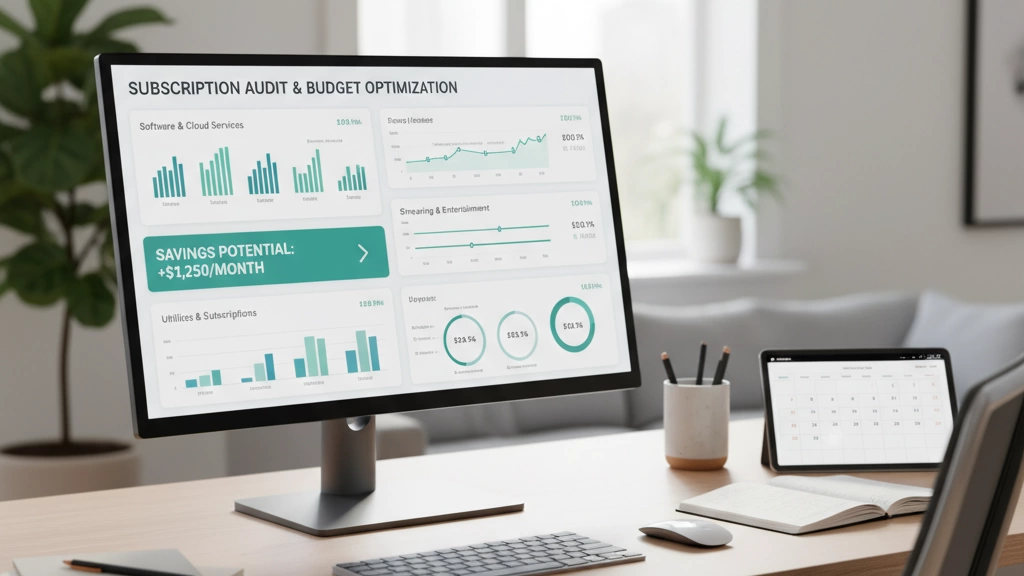
Gather Every Subscription in One Place (30–60 Minutes)
Start by tracking down all your subscriptions. Check your bank and credit card statements from the last 6 to 12 months. Don’t forget to log into PayPal, Apple, Google Play, and Amazon accounts where many recurring payments hide. Use free built-in tools from banks like Chase, Capital One Eno, or Bank of America, which often highlight subscriptions automatically. You can also try third-party subscription scanners like Rocket Money, Trim, Truebill, Bobby, Subby, or PocketGuard to find hidden subscriptions and track recurring payments.
Export & Organize the Master List
Create a simple spreadsheet to keep things clear. Set columns for:
- Service name
- Monthly or annual cost
- Start date
- Last used date
- Necessity score (how important it is)
- Cancel difficulty (how hard it is to stop)
This master list helps you see everything at a glance and prepare for the next steps.
The Brutal Honesty Round – Ask These 7 Questions for Each Subscription
Be straightforward with yourself:
- How often do I actually use this?
- Are there cheaper or free alternatives available?
- Does this service overlap with another I’m already paying for?
- When is the next renewal date?
- Would I sign up for this again today?
- Is there a cheaper tier or downgrade option?
- Do others in my family use this via a family plan?
Answering these helps cut down unnecessary spending and stop subscription creep.
| ### Prioritize & Categorize (Must-Keep | Maybe | Immediate Cancel) |
Use a simple traffic-light system:
- Green: Must-keep for value or necessity
- Yellow: Maybe keep but watch closely
- Red: Cancel immediately
Focus on quick-win cancels first to slim down your budget fast, while holding onto high-value subscriptions.
Cancel the Dead Weight (With Zero Hassle)
Time to cut loose subscriptions you no longer need. Use cancellation links available for over 30 popular services and scripts if you get retention calls. Watch out for “win-back” traps that try to lure you back with limited offers. Also, time your cancellations smartly – avoid just after a renewal charge to prevent losing money unnecessarily.
Negotiate or Downgrade Before You Cancel
If you’re on the fence, try negotiating with service providers. Many offer better deals or discounts in 2025 if you ask. Downgrading to a lower tier can also save money without losing everything.
Set Up Systems So This Never Happens Again
Finally, prevent subscription overload down the line:
- Use a dedicated card or email address for subscriptions
- Set calendar reminders before renewals
- Use the best 2025 tracking apps to stay on top
- Follow the “24-hour wait rule” for new subscriptions — don’t sign up impulsively
This checklist will help you take control and save money by cancelling unused subscriptions regularly.
Real-Life Audit Examples (Case Studies)
Here’s how a simple subscription audit made a big difference for everyday people:
-
Single 28-year-old saved $348/month
After tracking all subscriptions, they found multiple streaming services, unused gym memberships, and duplicate app subscriptions. Cutting the extras and downgrading a few plans slashed their monthly bills by over $300.
-
Family of 4 slashed $612/month
Between family streaming plans, unused kids’ apps, and forgotten annual renewals, this family uncovered a lot of hidden costs. Cancelling duplicate services and switching a few memberships to family plans saved them more than $600 every month.
-
Side-hustler using 40+ SaaS tools cut $1,200/month
With so many business tools and subscriptions, this side-hustler didn’t realise how much was leaking monthly. A full audit highlighted overlapping services and expensive tiers they didn’t need. Cutting dead weight and negotiating deals brought their costs down dramatically.
These real-world cases show the power of a proper subscription audit to stop subscription creep and save serious money.
Bonus: The Ultimate 2025 Subscription Tracking Toolkit
Keeping tabs on subscriptions can be overwhelming, but the right tools make it way easier. Here’s a quick guide to the best free and premium subscription tracking apps, along with the top virtual cards to stop unexpected charges after free trials. Plus, I’ll show you how to spot and cancel sneaky “dark pattern” subscriptions like Amazon Subscribe & Save.
Free vs. Premium Tools: What’s Worth It?
| Tool | Cost | Key Features | Best For |
|---|---|---|---|
| Truebill | Free / Premium | Automated tracking, cancel services | People who want hassle-free tracking |
| Rocket Money | Free / Premium | Bill negotiation, spending insights | Those who want savings + tracking |
| Bobby | Free | Manual tracking, simple design | Users who prefer control without ads |
| PocketGuard | Free / Premium | Budgeting + subscription alerts | Budget-conscious users |
| Trim | Premium | Negotiation + cancellation help | Those comfortable with paid tools |
If you\’re serious about saving, the premium versions often pay for themselves by finding discounts and cancelling unwanted subs.
Best Virtual Cards for Auto-Blocking Free Trials
Stopping unwanted renewals is easier with virtual cards that block payments automatically after a free trial ends:
- Privacy.com: Create virtual cards tied to specific services. You can pause or close the card anytime.
- Capital One Eno: Generates virtual cards and automatically blocks charges after trials.
- Both work worldwide and integrate with most online payment systems.
Spotting and Cancelling “Dark Pattern” Subscriptions
Some subscriptions hide in plain sight or use tricky renewal setups:
- Amazon Subscribe & Save: Items can auto-renew without clear notices.
- Gym memberships or software trials that auto-renew silently.
How to catch them:
- Check your Amazon “Your Subscriptions” regularly.
- Look for small charges on bank statements that don’t look familiar.
- Use subscription management tools that flag unusual or hidden charges.
Cancelling tips:
- Use direct cancellation links from your subscription audit.
- Contact customer support if cancellation isn’t straightforward.
- Keep screenshots or email confirmations for proof.
With this toolkit, you’ll be set to track, manage, and cut down your subscription spend smartly in 2025—no surprises, just real savings.
Frequently Asked Questions
How often should I do a subscription audit?
Aim for at least twice a year. Every 6 months is a good rule to catch any unnoticed recurring charges and avoid subscription creep.
Are subscription management apps worth paying for?
Yes, if you have multiple subscriptions, these apps can save you time and money by tracking recurring payments and spotting hidden subscriptions. Free versions often work well, but premium features add value like automatic cancellation and negotiation help.
What if a company makes cancellation impossible?
Don’t give up. Look for cancellation scripts online, use their customer support chat, or contact your bank to block future payments. Sometimes, stopping payment may force the company to act.
Can I get refunds for annual plans I just renewed?
It depends on the company’s policy. Many allow refunds within a short window after renewal. Contact customer service immediately and ask—being polite usually helps.
How do I handle subscriptions tied to Apple/Google/Amazon?
For these platforms, you’ll manage subscriptions directly through their account settings. Check your Google Play Store, Apple ID subscriptions, or Amazon Manage Your Subscriptions page regularly to review and cancel services as needed.